Social Media Manager Client Offboarding Checklist: Close the Work Cleanly
A social media manager client offboarding checklist: return access, hand over files, close reporting, and record each final decision before the client relationship ends.
By Notion SMM Portal by Cosmo Suite · Editorial policy
Published · 8 min read

Ending a social media client relationship can leave a few loose ends: the last scheduled post, an open revision, a folder the client cannot find, or an old contractor who still has account access. A tidy closeout gives both sides a record of what is finished, what has changed hands, and what still needs an owner.
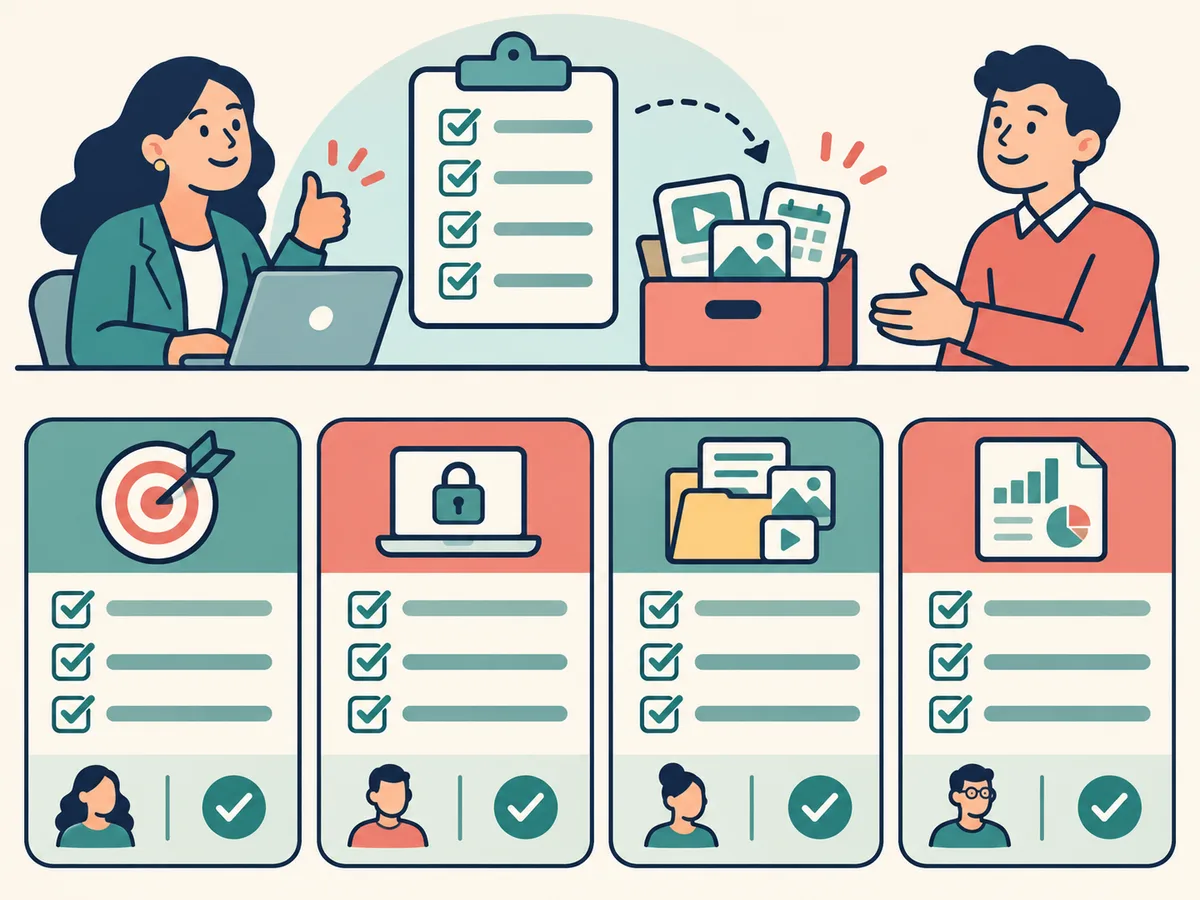
Social media client offboarding is the handoff that closes the work, returns account control, transfers agreed files, and records remaining decisions. A practical social media manager client offboarding checklist follows four tracks: agree on the finish line, return control of accounts, hand over the files, and close the reporting and records. Work through them with the client. For the access you collect at the start of an engagement, see our social media account access checklist.
Key takeaways
- Agree on the final date, remaining work, and who approves it.
- Have the client or account owner remove access through each platform's permissions.
- Hand over approved files with a folder map and status labels.
- Close the final report and record any unfinished item with an owner.
What belongs on a social media client offboarding checklist?
The checklist should show each task, its owner, and evidence that it is complete. Record the end date and what remains in scope, review access across platforms, package the agreed files, and close out reporting and admin records. A checked box without an owner or proof can hide unfinished work.
| Track | Owner to confirm | Completion evidence |
|---|---|---|
| Scope and dates | Manager and client | Final work list and agreed end date |
| Access and accounts | Client or account owner | Platform-by-platform removal check |
| Files and content | Manager, accepted by client | Folder map with approved, draft, and licensed items marked |
| Reporting and records | Manager and client | Final report, open-items list, and acknowledged handoff |
Keep one copy of the checklist where both sides can find it. The social media client portal can hold onboarding, resources, content, analytics, and a closing page alongside the engagement's working records.
How do you agree on the final work and date?
Write down the last service date, the work included through that date, and the person who will make each remaining decision. Include scheduled posts, edits awaiting review, planned reports, and any work the client has chosen to pause or cancel.
Make a short open-items table before the closeout call. For each item, record its current status, next action, owner, and due point. If a post still needs approval, state that clearly. Do not describe it as finished simply because the draft exists.
| Item | Status | Next action | Owner |
|---|---|---|---|
| Final planned post | Awaiting client review | Approve or request a revision | Client approver |
| Monthly report | In progress | Confirm date range and source data | Manager |
| Unused creative concept | Not selected | Mark as unused in handoff folder | Manager |
This is a recordkeeping example, not a prescribed contract or deadline. If scope or payment is unclear, refer to the agreement and ask the client to confirm the next step in writing.
How should you remove access from social media accounts?
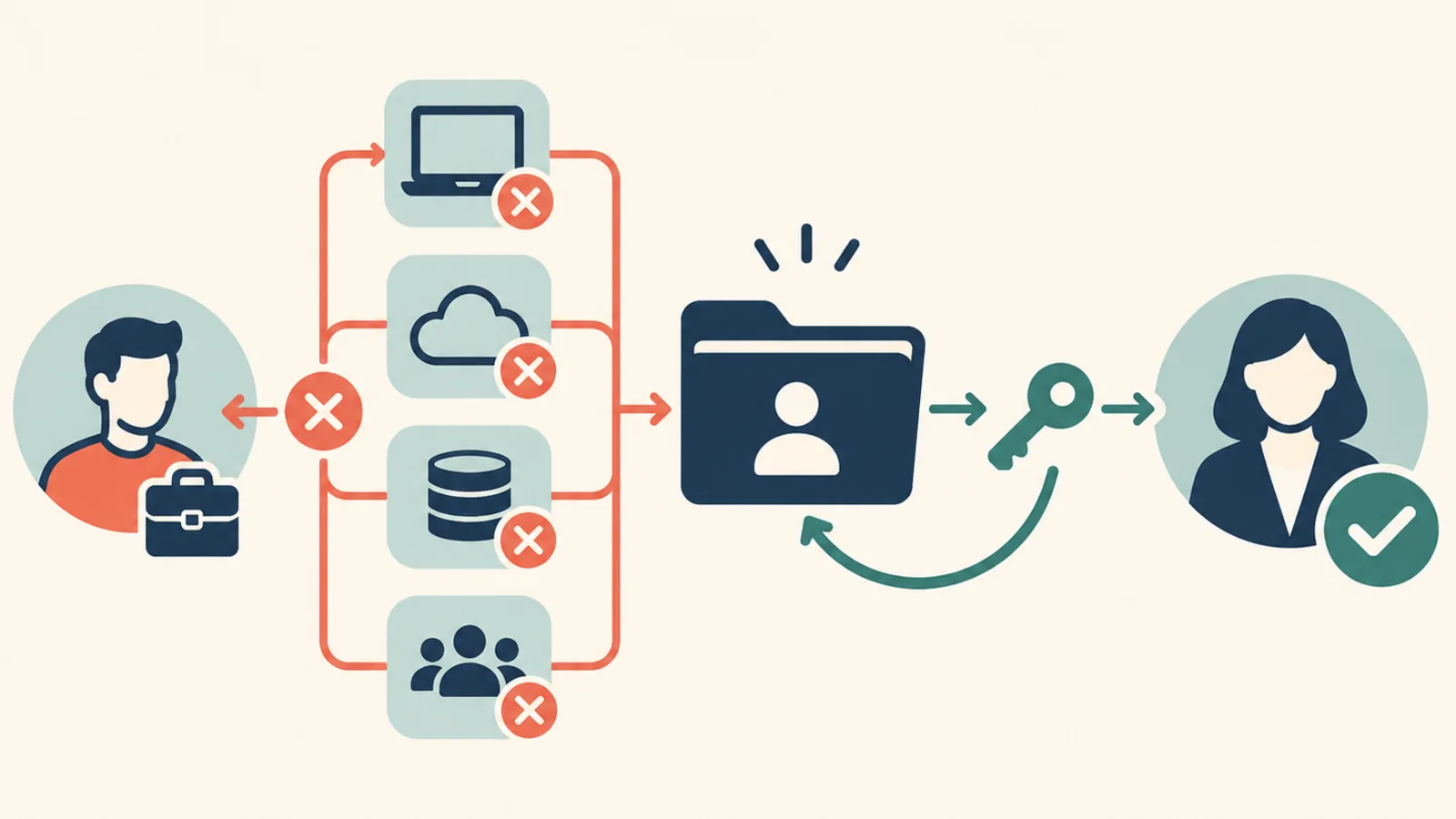
Have the account owner remove your access through the platform's own people, partner, and asset settings. Check each account separately, including ad accounts, pages, business centers, and connected assets. Keep the owner responsible for the change and avoid sharing passwords to make the handoff easier.
Start with a list of every platform and property you used. Record who owns it, which permission path applies, who will make the change, and when you will confirm it. TikTok Business Center documents removal of a member from its Users area and separately describes removing access to an Account Group. That distinction is a reminder to check asset-level access as well as the member list. TikTok's member-removal instructions and Account Group access instructions explain those steps.
LinkedIn also separates ad account roles and Page permissions. Its Business Manager permissions guide explains that some advertising work needs access to both. Review the client's current setup before removing a person, then ask the owner to verify the remaining team can still do the work.
Do not ask a client to send a password or recovery code. If the owner cannot find the right permission screen, use the platform's current help instructions or its support channel. A spreadsheet of account names is useful for the handoff; it should not contain login secrets.
What files and content should you hand over?
Hand over the items included in the agreement and label their status. A clear package usually needs final approved copy and creative, the agreed editable files, a folder map, and notes about licenses or restrictions. Keep drafts, unused concepts, and items awaiting approval distinct from approved content.
Use a simple folder structure the client can understand without you. For example, group files by platform or campaign, then include a brief index with the file name, status, and date. If a file depends on a font, stock asset, or third-party license, note the terms the client needs to check before reuse. Do not imply that a transfer changes a license.
Ask the client to confirm they can open the shared files. If the work uses a portal, include its page map and explain where to find the content calendar, Resources, Analytics, and Closing Chapter. The Notion SMM Portal includes those pages in its contents, along with platform-specific writing templates and a monthly report template. It can serve as the working record during an engagement; the client still needs to retain copies of the files they are meant to keep.
How do you close reporting and admin records?
Send the final report for the period included in the agreement, with its date range and data sources. Label missing data as unavailable instead of treating it as zero. Separate observed results from your interpretation, and give the client a short list of decisions or follow-up items that remain.
Then review the records that belong in the closeout: final invoice or payment status if applicable, meeting notes, agreed deliverables, and open questions. This is a practical records check, not legal or tax advice. Follow the agreement and the client's own retention requirements for anything sensitive.
Close the loop with one written handoff note. Include the access review, file location, last report, any unfinished item and its owner, and a date for the client to confirm receipt. If the client flags an issue, record the specific item and the next action rather than reopening the entire engagement informally.
What can go wrong during offboarding?
The common gaps are easy to miss when the manager and client work from different message threads. A post can look approved in chat while the current version is still waiting in a design folder. An access change can remove a person from one area while leaving a connected asset assigned elsewhere.
Use the closeout record to answer four questions: What is final? Who owns the next step? Where is the source file? Who can still access each account or asset? If any answer is unclear, leave that row open and assign it before the last working day.
For recurring client work, a consistent workspace makes the closeout easier to trace. Notion SMM Portal has Client Onboarding, Content Production, Master Content, Resources, Analytics, and Closing Chapter pages. Use the pages that match your service and keep the final status next to the work it describes.
How do you run a client offboarding meeting?
Keep the meeting focused on decisions and handoffs. Share the open-items list before the call, then review the end date, remaining work, access owners, file package, and final report. Give every unresolved item one owner and a next date before the call ends.
You can use this short agenda:
- Confirm the last service date and agreed deliverables.
- Review scheduled or unfinished content and who will decide its status.
- Check every account and asset that needs an access change.
- Walk through the file map and confirm the client can open it.
- Review the final report and capture questions or follow-up actions.
Send the notes to the client after the meeting. Keep the confirmed version with the closeout record so the client does not have to rely on memory or search old chats to find the decision.
When should the access review happen?
Set the timing with the client based on the agreed end date and the work that must be handed over. Removing access too early can block a final report or file transfer. Leaving old access in place after the handoff can give a former contractor continued entry. The account owner should choose the timing and verify each change.
Make a separate row for each place where the manager had access. A single line for “Instagram” may miss an ad account, a connected page, a business portfolio, or a shared scheduling tool. Record the owner and permission area without storing credentials.
| Access area | Who confirms removal? | What to check |
|---|---|---|
| Social profile or page | Client or platform owner | The departing person no longer appears in the relevant people list |
| Ad account or business center | Client admin | Assigned assets and member access have been reviewed |
| Scheduling or analytics tool | Client account owner | User, team, and connected-account access are closed as agreed |
| Shared files and workspace | Client and manager | The client can open the handoff; old links and edit access match the plan |
The exact screens vary by service and can change. Follow the platform's current instructions for the client's account type. TikTok's instructions distinguish Business Center membership from access to an Account Group, while LinkedIn describes ad account roles alongside Page permissions. These official guides are useful starting points, but the account owner should verify the actual setup.
Why use a written closeout record?
A written record ties the final content, file location, access changes, and open decisions together. That gives the client a usable handoff if another person takes over and gives the manager a clear list of what the engagement actually completed.
This checklist uses a simple evidence rule: keep the source or confirmation beside each item. For an approved post, record the final version and approval status. For a file transfer, include the folder path and confirm the client can open it. For an access change, note the platform and the owner's confirmation. Avoid recording passwords, recovery codes, or private account data in the shared checklist.
We built Notion SMM Portal as a Notion template for social media managers. Its 13-page contents include client onboarding, content and resource pages, analytics, and a Closing Chapter. That product detail informs the workspace example in this guide; the checklist itself can be kept in any shared system the client can access. You can see the page structure in the portal guide or open Notion SMM Portal.
About us and source checks
Cosmo Suite makes digital templates, including Notion SMM Portal for social media managers. This checklist uses the product's contents list for its workspace example and official TikTok Business Center and LinkedIn Marketing Solutions help pages for the permission examples. We fact-checked those platform references on November 8, 2026. Account settings and help pages can change, so have the client verify the current instructions before making an access change. Read about us for more on Cosmo Suite.
Frequently asked questions
What should a social media manager include in an offboarding checklist?
Include the end date and final scope, account and tool access, files and content ownership, open work, final reporting, invoices or records that belong to the engagement, and a written handoff. Assign an owner and completion evidence to each item.
How do you remove a social media manager from client accounts?
Ask the client or account owner to remove the manager through each platform's own people, partner, or asset permissions. Check linked accounts and assets as well as the main profile. Confirm access has ended without exchanging passwords.
Who owns social media content after a contract ends?
Use the agreement and the client's decisions to determine ownership and permitted use. List the final files, drafts, licenses, and any items still awaiting a decision. Do not assume that access to a file means permission to keep using it.
What files should be handed over to a social media client?
Hand over the final approved assets and copy, the agreed editable source files, a clear folder map, and any usage or license notes needed to work with them. Mark drafts and unused concepts so they are not mistaken for approved work.
Should a social media manager provide a final report?
If reporting is part of the agreed work, provide the final report with its date range, source, and any unavailable data labeled clearly. Separate recorded results from interpretation and leave a short list of open questions or next steps.
When should a departing social media manager's access be removed?
Agree on the timing with the client and remove access when the work and handoff require it. Check each platform and connected asset after removal. Keep the client as owner and avoid making access changes before the client confirms the handoff plan.
