How to Handle Scope Creep as a Social Media Manager (Without the Awkward Talk)
Social media scope creep: a three-line reply, three ways to answer an extra ask, and one page per client where the decision stays visible.
By Notion SMM Portal by Cosmo Suite · Editorial policy
Published · 9 min read

"Btw, can you also make a Story version of that one?" The message arrives at 4:40 on a Friday, it takes ninety seconds to read, and it quietly adds an hour to a week you had already planned.
Scope creep in social media work rarely arrives as a big demand. It arrives as a friendly afterthought, repeated often enough that the original agreement stops describing the job. Three things cause most of it: a scope that was never written down, no named person on the client side who can say yes, and a place for the answer that disappears the moment the chat scrolls.
The fix is a record the client can see, plus a reply you can send in under a minute. A client portal for social media work holds that record in one place the client already opens. Here is the reply, the three ways to answer, and the page that keeps the answer from being asked again.
Key Takeaways
- Separate an extra ask from a revision that the agreement already covers.
- Answer with a choice: price it, park it, or absorb it once.
- Keep the answer where the client already looks, not in a chat thread.
- Log every request with its date and decision, then read the log back monthly.
What Counts as Scope Creep in Social Media Management?
Scope creep is work added to an engagement after the original agreement, without a matching change to price, timeline, or deliverables. monday.com's project management guide, dated 21 December 2025, calls it "the gradual, unauthorized expansion of project deliverables, requirements, or objectives." No single request looks big enough to raise.
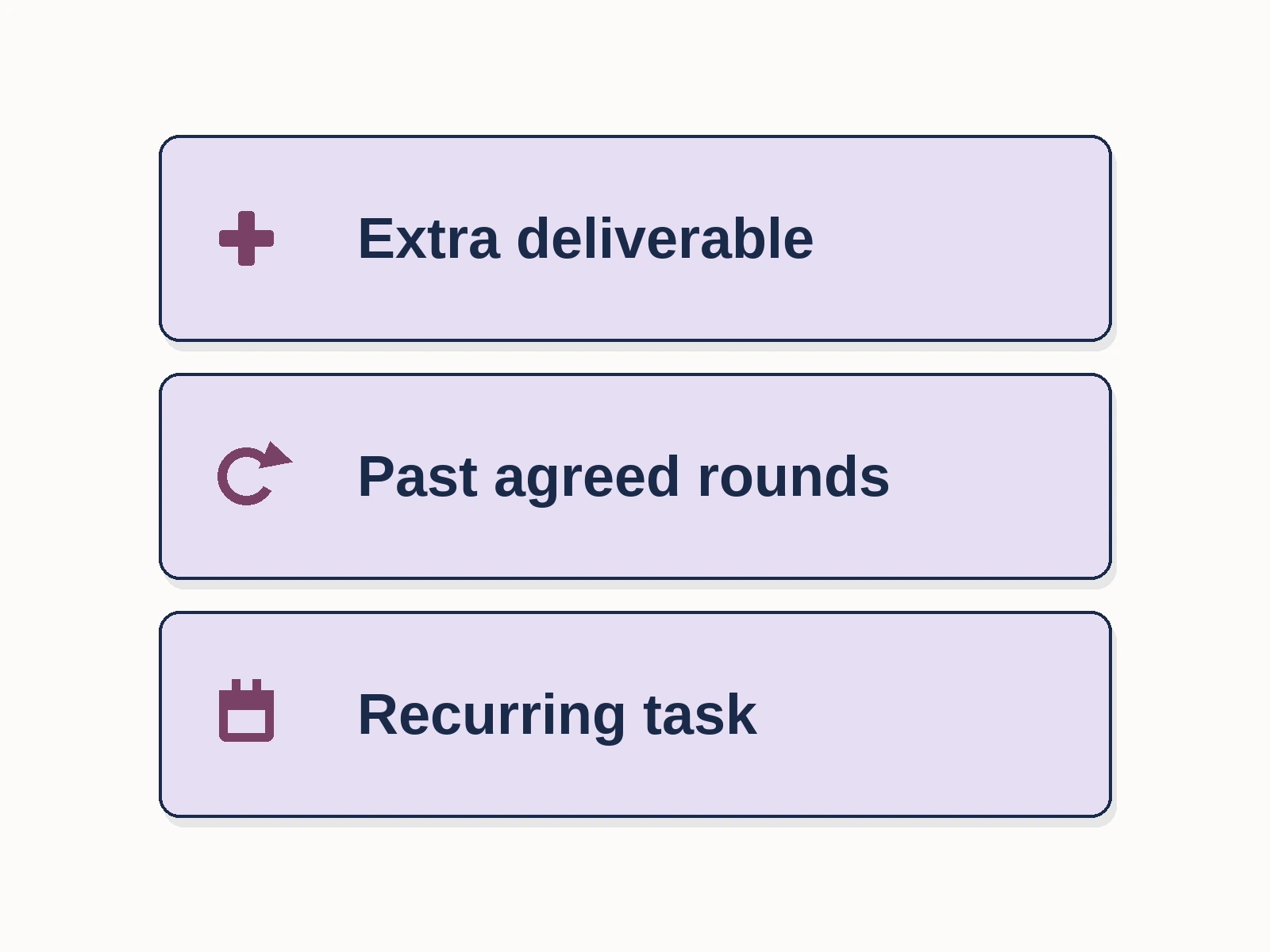
Before you answer anything, decide which of three things the request actually is. The question you ask yourself changes the answer you give.
| The request | What it usually looks like | The question to ask yourself |
|---|---|---|
| An extra deliverable | A Story version, a new platform, a short video cut from a static post, a caption written in a second language | Is this in the agreed list of deliverables? |
| Work past the agreed rounds | A fourth round of changes when the agreement says two | Have we used the rounds we agreed on? |
| A recurring task that was never priced | Daily comment replies, community management, a weekly newsletter, posting on a new channel | Is this a one-off or does it repeat every week? |
A revision inside the agreed rounds is not scope creep. If your agreement says two rounds of changes per post and the client is on round two, that is the job working as designed. Treating normal feedback as creep is how a manager earns a reputation for being difficult. The revision round question covers how to set that number before the first post goes out.
A recurring task is the most expensive kind, and the easiest to miss. One extra Story a month is noise. Daily comment replies on four platforms is a part-time job that arrived in a sentence. Ask whether the request repeats. If it does, it is not a favour; it is a service with a weekly cost.
What Do You Say When the Ask Arrives?
Answer with a choice, not a yes or a no. A three-line reply works for almost every extra ask: name the request in the client's words, say which of three routes it takes, and give the one detail the client needs to decide. The manager keeps the relationship and the client keeps the decision.
Here is the shape:
"Got it, a Story cut of the Tuesday post. That is outside the two posts a week we agreed, so I can add it as a Story pack for [price] starting [date], or hold it for [date] and fit it in then. If you want it as a one-off this week, I can do that and note it as a favour. Which works?"
The reply is three lines, with no apology, no lecture about scope, and no instant yes. The client now has three real options and a clear owner of the decision, which is them.
The single most useful habit is to stop answering instantly. "Let me check and come back to you today" costs nothing and buys the time to work out which route the request belongs to. An instant yes is how a manager ends up rebuilding the week at 9pm.
A worked example
Consider an agreement of two posts a week per client at a fixed monthly fee, with two revision rounds per post. In one month, for example, the client asks for a Story version of each post, a caption rewritten after approval, and a short video cut from one post.
- The Story versions repeat every week. That is a new deliverable with a weekly cost, so it goes on the add-on list at a price.
- The rewritten caption is a third round after approval. That is past the agreed rounds, so it is either an extra round or a new post.
- The video cut is a one-off. It can be absorbed once and noted, or priced if it takes more than a few minutes.
The numbers here are an example, not a benchmark. What matters is that each request lands in a category before you reply, so the answer is a decision rather than a reaction.
How Do You Price or Park the Extra Work?
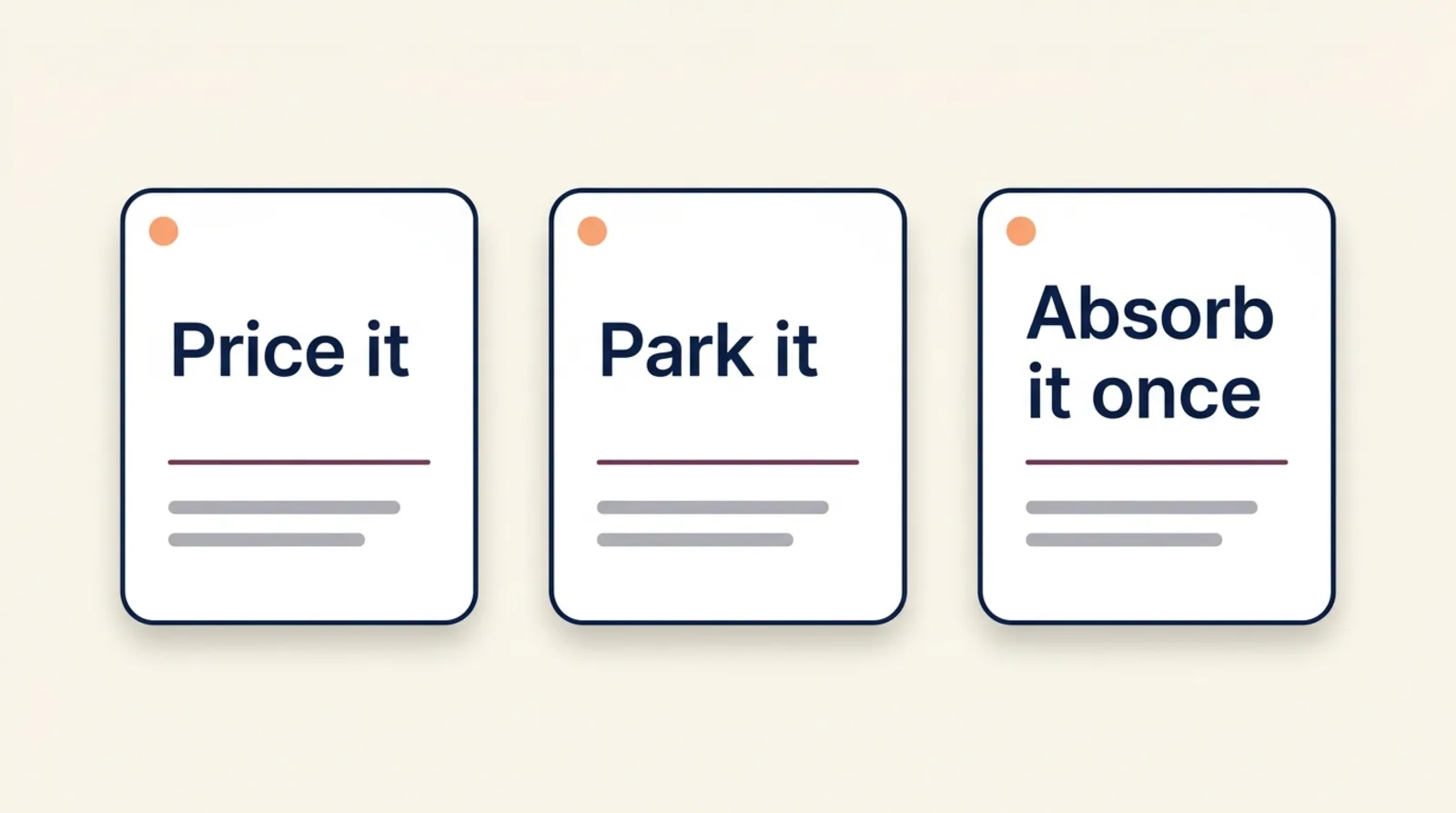
There are three honest answers to an extra ask: price it, park it, or absorb it once. Each one needs a record. The record is what stops the same conversation from happening next month with a worse mood.
| Route | When it fits | What you write down |
|---|---|---|
| Price it | The request adds a deliverable, a platform, a format, or a recurring task | What is included, the price, the start date, and who approved it |
| Park it | The client wants it but not now, or the timing is unclear | The request, the date it was asked, the review date, and the owner |
| Absorb it | It is a one-off that takes minutes and you are willing to do it as a favour | The request, the date, and the word "favour" so the next one is not assumed free |
Pricing is where most managers stall, because it feels like a confrontation. It is easier when the price is written before the ask arrives. A page of add-ons with a price beside each one turns "can you also" into a menu, and a menu is not a fight.
Parking is underused and often the best answer. A dated list with a review point gives the client a yes without giving away this week. "Not now, but on the list for the December planning call" is a real answer, and it is honest as long as the review date is real.
Absorbing is fine once, and only when you say so out loud. The favour that nobody named becomes the expectation. Naming it costs one clause in a reply: "I'll fold this one in as a favour; the next one goes on the add-on list."
The University of Phoenix guide to preventing and managing scope creep, dated 22 September 2026, describes a formal change control process. Record the request and who made it. Compare it with the original scope. Assess the impact, decide, and tell the team. It also recommends a change log, a requirements matrix, and a responsibility matrix that names who can approve a change. You do not need the paperwork of a construction project. You need the same five steps in a line or two, written where the client can see them.
Where Should the Answer Live So the Next Ask Is Easier?
Put the answer where the client already looks during the engagement. A decision that lives only in a chat thread is a decision the client will ask about again, and the manager will explain it again, usually on a worse day.
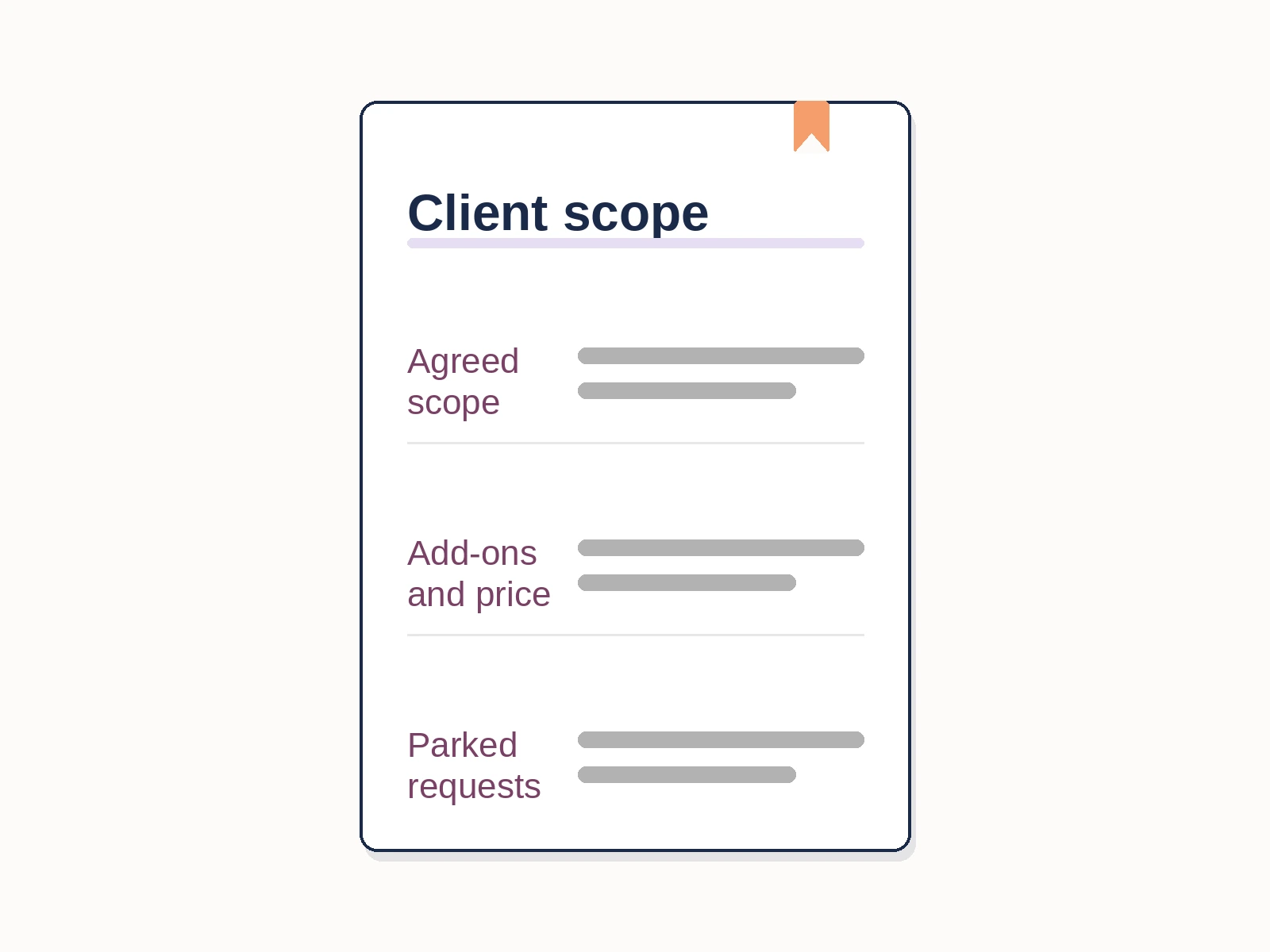
Social Media Pro's guide to scope creep, dated 11 December 2020, lists unclear communication and client expectations as the number one reason for scope creep. A large share of that is a decision nobody can find later. The fix is one page per client, holding:
- the agreed scope in plain language: how many posts, which platforms, how many rounds;
- the add-on list with a price and a start date beside each item;
- the parked requests with the date they were asked and the date they come back;
- the name of the person on the client side who can approve an add-on.
A social media client portal can hold that page next to the calendar, the resources, and the report, so the client is already in the right place when the question comes up. Notion SMM Portal includes an Extended Services page for exactly this: the add-on services you offer, where the client already looks.
Keep the chat for the ping and move the decision to the page. "Added it to your Extended Services page, take a look when you have a minute" is a complete answer, and it leaves a record the next conversation can start from.
What Actually Stops Scope Creep From Repeating?
The conversations help. The record is what changes the pattern. Four things do most of the work, and none of them is a harder tone.
Write the scope at kickoff, including the exclusions. The list of what is not included is the part that saves the most time later, and it is the part most managers skip. Two posts a week, two rounds, no Stories, no community management: that sentence prevents four conversations. Our onboarding checklist covers where to put it.
Name the person who can say yes. A request from someone who cannot approve it is a suggestion. Ask at kickoff who signs off on extra work and put that name on the page. When the request comes from someone else, the answer is "I'll send it to [name] for a yes."
Keep one dated request log. Every ask, its date, and the answer. This is the change log the project management guides describe, at the size a solo manager actually needs. It also settles the "but you said" conversation in ten seconds.
Read the log back at the monthly report. Five minutes at the end of the report, going through what was added, what was parked, and what is still open. It turns scope from a fight into a standing agenda item, which is a much easier thing to have every month.
The content approval process handles the draft-to-approved path. Scope creep is the other half: what happens when the request is not about the draft at all, but about the job.
Why Trust This Article?
This is a guide from the Cosmo Suite team, which builds Notion templates for client work, including the Notion SMM Portal. The three categories, the reply shape, and the add-on page are our editorial recommendation, written for a solo manager or a small agency to adapt. The definitions and the change-control steps come from the three sources listed above, each checked on 20 November 2026. The worked example uses invented numbers and is labelled as an example. No claim here is a benchmark, and none comes from a review or a customer count. Check your own agreement before you act on any of it. Read about Cosmo Suite for the publisher and its content standards, or use its contact page to report a factual error.
How Notion SMM Portal Fits
Deciding what to do is the easy part. The harder part is keeping the decision somewhere the client will look before they ask again, and that needs a home.
Notion SMM Portal is a client portal you duplicate for each client and share by its Notion link. It has 13 pages: Introduction, Client Onboarding, Content Production, Master Content, Strategy, Resources, Analytics, Extended Services, Task, Meeting, Payment, Contract, and Closing Chapter. The Extended Services page is where the add-on list lives, in the same portal the client already opens for the calendar and the report. Content Production holds the statuses from Idea to Published, with client buttons to mark a post as approved or as needing revision. The Analytics page carries a monthly report and an audit template, which is where the read-back of the request log fits.
A client workspace for social media work gives each client one link, one calendar, and one place where the answer to "can you also" is already written down. Set the scope on the onboarding page, price the add-ons on Extended Services, and let the portal hold the record that the chat keeps losing.
The next friendly afterthought then lands on a page with a price beside it, instead of on a Friday afternoon with no answer ready.
Frequently asked questions
What is scope creep in social media management?
It is work added to a client engagement after the original agreement without a matching change to price, timeline, or deliverables. It often arrives as a small request in a chat message. The size of each request is small; the total is what erodes the margin and the manager's week.
How do you say no to a client without damaging the relationship?
Do not say no to the request. Answer the request with a choice: it can be added for a stated price and start date, it can go on a list for a named date, or it fits the current agreement and you will do it. That keeps the answer friendly and leaves the decision with the client.
Is an extra revision round scope creep?
It depends on what the agreement says. If the agreed rounds are used up, a further round is added work. If the client is still inside the agreed rounds, it is normal feedback. Write the number of rounds down at kickoff so neither side has to argue from memory.
Should you charge for small extra requests?
Charge where the request adds a deliverable, a platform, a new format, or a recurring task. Absorbing a one-off small request is reasonable when it takes minutes and you say that you are doing it as a favour. Repeating that favour for free is what turns into creep.
Where should add-on services be listed for clients?
Put them where the client already looks during the engagement, not in a chat thread. A single page listing each add-on, what it includes, its price, and when it can start gives the client a place to say yes. Notion SMM Portal includes an Extended Services page for this.
How do you stop scope creep from coming back?
Write the scope, the decision maker, and the number of revision rounds at kickoff. Keep one dated list of requests and their answers. Read that list back at each monthly report. The record does more than any single conversation, because the next request starts from a known baseline.
Sources
Keep reading

Approvals
Client Approval for Social Media Replies: A Simple Workflow
Client approval for social media replies: sort routine comments, questions, and sensitive issues into clear review paths before a response goes out.
· 9 min read

Approvals
Get Clients Out of WhatsApp for Content Approvals
Get clients out of WhatsApp for content approvals by giving each post one review link, a clear decision, and a clear next step.
· 8 min read

Approvals
How to Get Clear Client Feedback on Social Media Posts
how to get clear client feedback on social media posts: number each asset, pinpoint the note, and record the decision beside its version.
· 10 min read
