How Many Clients Can a Social Media Manager Handle? Work It Out From Your Own Hours
How many clients can a social media manager handle? Time the tasks inside one client's week, subtract fixed overhead, divide, and keep a buffer.
By Notion SMM Portal by Cosmo Suite · Editorial policy
Published · 9 min read

"How many clients can you handle?" is a question other people ask, and the honest answer is a number you have never measured. So managers answer from feeling, and the feeling is usually wrong in both directions.
There is no universal number. Every published range is somebody else's task list turned into an average: four to eight full-service clients, ten to twenty on lighter support, and a handful of accounts for the rest. Your own answer comes out of arithmetic, and the arithmetic starts with your own hours.
The method is short. List the tasks inside one client's week, time them, subtract the hours that go to running the business, and divide. A client workspace for social media work makes those hours visible: approval chasing and file hunting become steps in a list instead of vanishing into a chat thread. The rest of this post is the table, the worked example, and the levers that change the answer.
Key Takeaways
- Every published client number is an average built from hours, so use it as a sanity check, not an answer.
- The invisible tasks (approvals, files, reports) usually take more time than the creative work.
- Time two normal weeks, subtract fixed overhead, divide, then keep a buffer of one or two clients.
- Count platforms, not clients, when you compare two engagements.
How Many Clients Can a Social Media Manager Handle?
There is no single number, and the published figures disagree because each one counts a different kind of work. The ranges cluster in the same place once you know what each source measured.
| Source | Figure given | What it counts | Date on the page |
|---|---|---|---|
| Cloud Campaign | 4 to 8 clients full service; 10 to 20 with lighter support | Clients, from 130 usable hours a month and 15 to 30 hours a month per full-service client | No publication date shown |
| Sakas & Company | 4 to 8 accounts per person; 6 to 8 easy-going clients or 2 to 3 needy ones | Accounts, for a person not also doing fulfilment | No article date; footer reads 2026 |
| Social Media Pro | Managers report 3 to 10 accounts each; some 20 or more | Social media accounts, where one client can hold several | 20 July 2018 |
| PostEverywhere | 35+ hours a week on operational tasks; 3 to 5 hours a week per client for coordination | Hours, from the pattern its team sees | 1 April 2026 |
Read the second column twice and the disagreement explains itself. One row counts clients, another counts accounts, a third counts hours. A manager with six clients on four platforms each is doing more than a manager with six clients on one platform. PostEverywhere says as much about its own figures: treat them as working estimates, not survey findings.
The range is real, then, and narrow. A solo manager doing the full job lands somewhere between four and eight clients. Where you sit inside it depends on the tasks.
How Many Hours Does One Client Take Each Week?
One full-service client typically takes six to ten hours a week once the invisible work is counted, and the creative work is usually the smaller half. Break the week into named tasks and the total becomes something you can count.
| Task | Hours per week | Who does it |
|---|---|---|
| Planning and captions for the week's posts | 1.5 to 2 | Manager |
| Design and asset preparation | 2 to 3 | Manager, or a designer |
| Publishing and scheduling | 0.5 | Manager, or automated |
| Collecting feedback and approvals | 1 to 2 | Manager, chasing the client |
| Comment replies and community management | 0.5 to 1.5 | Manager |
| File and asset housekeeping | 0.5 | Manager |
| Monthly report, averaged across the month | 0.5 to 1 | Manager |
| Client call or check-in, averaged across the month | 0.5 | Manager |
Those are the task names to time. The hours in the table are a starting shape, so you know what to write down. Time your own for two weeks and you will replace every row. PostEverywhere puts the coordination part of this at 3 to 5 hours a week per client, which is the slice most quotes leave out (PostEverywhere).
For example, take one full-service client and keep the numbers round. Suppose the tasks add up to eight hours a week. Your working week is 40 hours. Meetings, invoicing, proposals, and your own marketing take another eight, leaving 32 hours of delivery time. Divide 32 by eight and you get four clients, before any buffer. The eight hours are invented to keep the arithmetic visible, not a figure to copy.
Then the part that catches people: a week where two clients go quiet and one sends a 40-photo shoot is not an average week. Keep one or two client slots unbooked, so the average is a plan rather than a ceiling. With a five-slot ceiling and one held back, you take four clients and still deliver on a bad week.
The onboarding checklist for a new client is where this number gets tested. Onboarding is heavier than a steady month, so a client you add this week will cost more hours this week than it will in six weeks.
What Makes One Client Take More Hours Than Another?
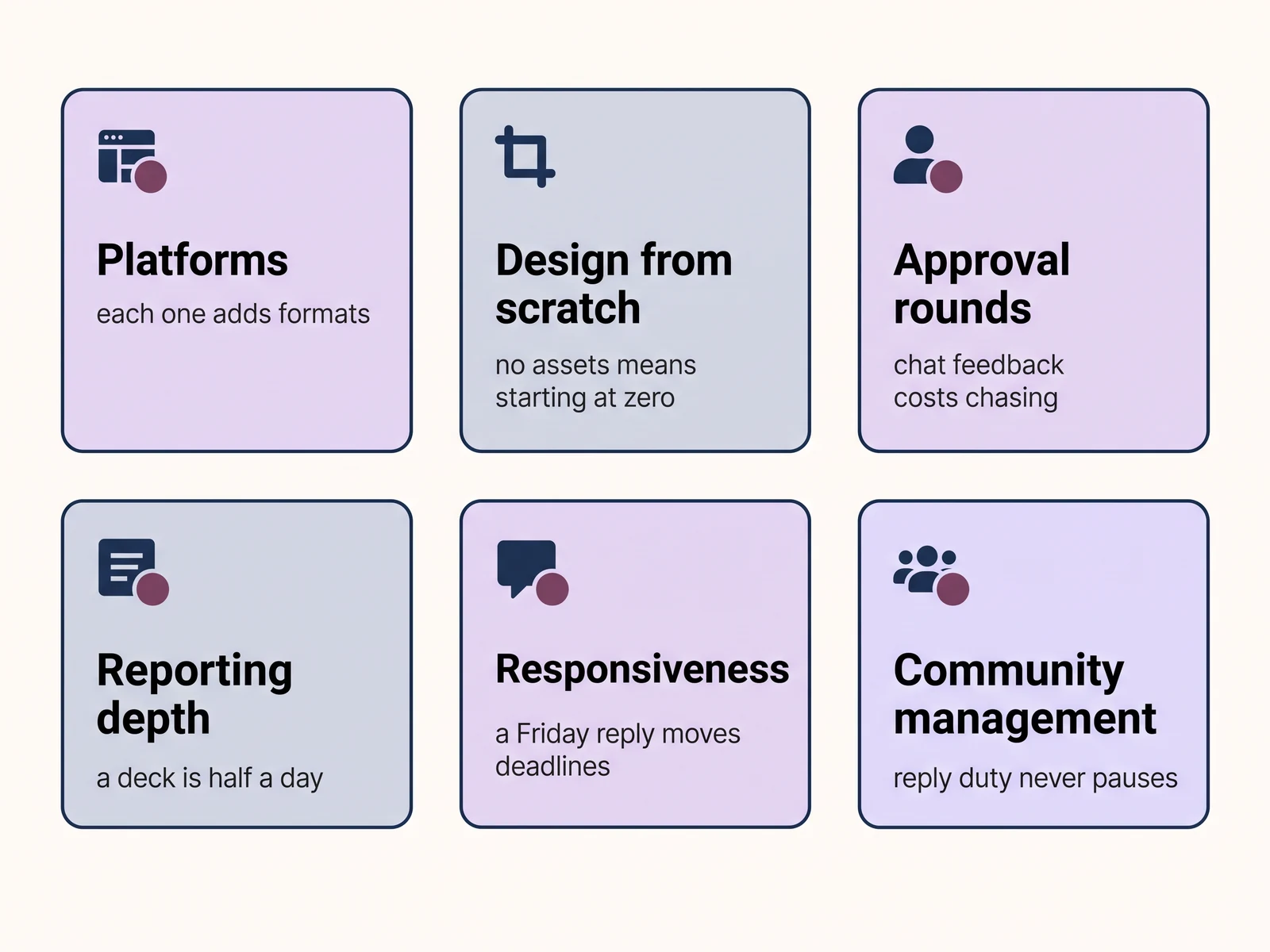
The biggest multiplier is platform count, and approval behaviour comes second. Platform count is the number of separate content systems you run for one client, each with its own formats, publishing step, inbox and reporting line. Two clients paying the same fee can differ by four hours a week on that one number alone.
- Platforms. Each platform brings its own formats, its own publishing step, its own inbox, and its own reporting line. One client on Instagram and TikTok is two content systems that happen to share a brand.
- Design from scratch versus from a template. A client with no brand assets means every asset starts at zero. A client with a folder of approved templates starts at the second draft.
- Approval rounds. One round of consolidated feedback costs an hour. Feedback that arrives in six chat messages across three days costs an hour of chasing plus the rework. The approval process for client content is the variable you can actually control here.
- Reporting depth. One page with five numbers is 30 minutes. A deck with screenshots from four platforms is half a day.
- Client responsiveness. A client who answers within the day compresses the whole week. A client who answers on Friday moves every deadline and adds a chase.
- Community management. Reply duty is easy to leave out of a quote and hard to leave out of a week. It also does not pause when you are on holiday.
Before you compare two clients, compare their platform counts. A five-client book on one platform each is a lighter week than a three-client book where every client runs four.
How Do You Work Out Your Own Capacity?
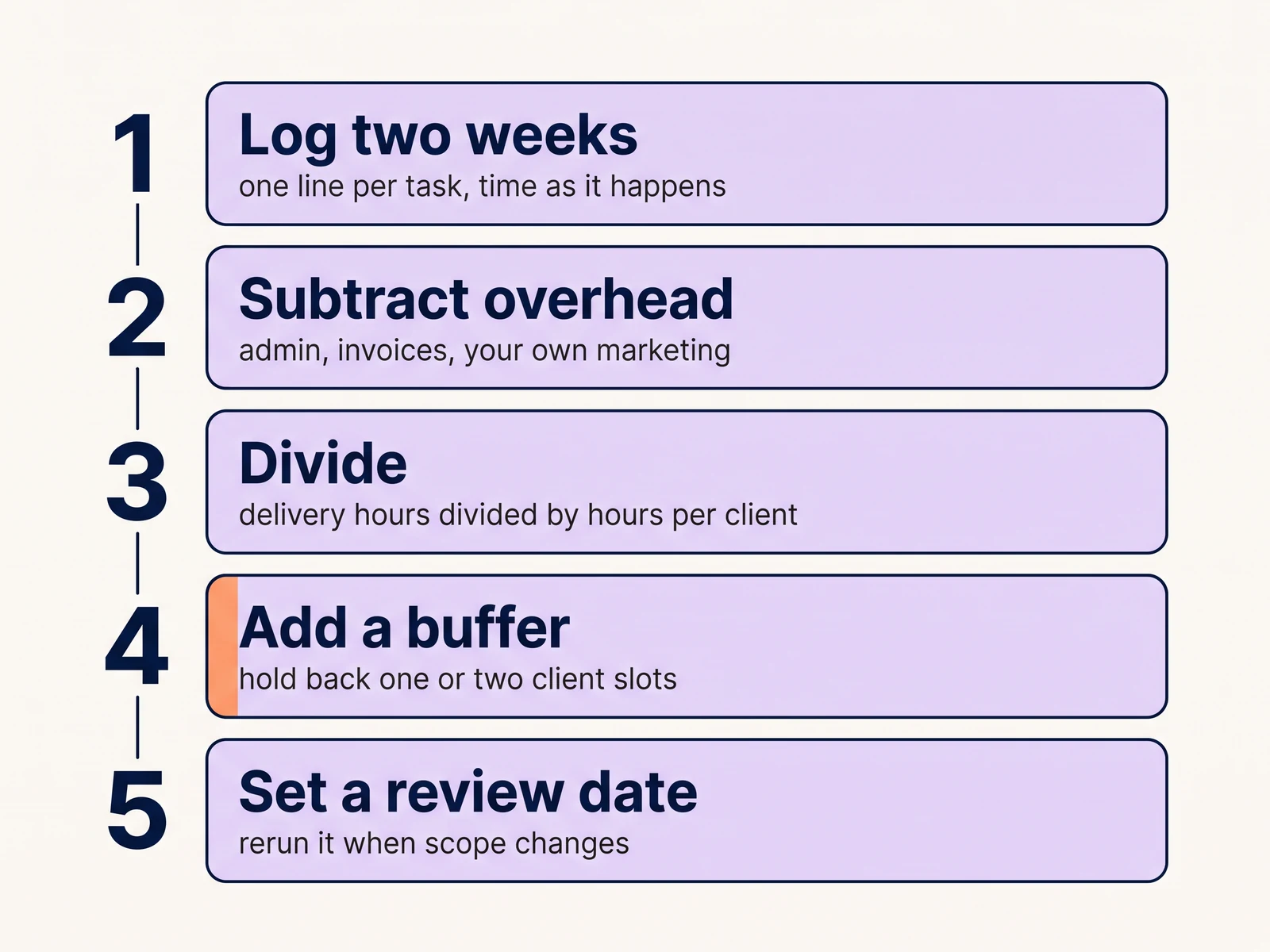
Work it out in five steps, in this order, and write the number down. A capacity you can state is one you can sell, because it turns "I am full" into a reason the client understands.
Client capacity is the number of clients you can carry in a normal week without a deadline slipping, measured in hours rather than in feeling. Fixed overhead is the work that repeats every week and belongs to no single client: admin, proposals, invoices, and your own marketing. The US Small Business Administration describes fixed costs as "costs incurred during a specific period of time that do not change" with output, and lists salaries, rent and insurance among them (SBA). Your overhead is the same idea applied to hours.
- Log two normal weeks. One line per task, with the time it actually took. Include the chasing and the file hunting, which are the hours managers forget.
- Subtract fixed overhead. Meetings, admin, proposals, invoices, and your own marketing. Measure these too, because most managers guess them low.
- Divide. Delivery hours divided by hours per client equals clients. Round down, never up.
- Add a buffer. Hold back one or two client slots for the bad week, the new onboarding, and the scope that grows without a conversation.
- Set a review date. Rerun the arithmetic when a client adds a platform or changes scope. A capacity number from January is not a capacity number in June.
The fifth step is the one that gets skipped. It is also the one that keeps the number honest, because capacity is not a fixed property of a person: it moves with the work.
What Actually Moves the Number?
Most of the levers that raise capacity remove waiting rather than speed up the work. Waiting for an approval is the largest single cost in a client's week, and most managers never count it.
Move approvals out of chat. An approval that lives in a chat thread has to be found again, and half of them are never explicitly given. A client who opens one link, sees the week's posts, and clicks approve or request a revision removes the chasing hours. The guide to getting approvals out of WhatsApp covers what moves and what can stay.
Start every client from a template. A portal or calendar template that already holds the page structure, the statuses, and the report layout means a new client costs an hour of setup, not a day of building.
Batch by task, not by client. Designing all the week's assets in one sitting is faster than switching between design and captioning four times a day. The time saved is modest. The bigger gain is that batching makes the hours visible, which is what step one of the method needs.
Write the scope down where the client can see it. A client who knows that two revision rounds are included stops asking for the third, and the hours stay inside the plan. The question of how many revision rounds to offer is the same arithmetic one level down.
Keep one place per client. Files, calendar, approvals, and the report in one place the client already opens. This lever compounds, because every other task gets shorter when nobody has to search for the current version.
Why Trust This Article?
This is a guide from the Cosmo Suite team, which builds Notion templates for client work, including the Notion SMM Portal. The published ranges and the dates beside them come from the four sources in the table, each checked on 20 November 2026. The per-task table is a starting shape for your own timing, and the worked example uses invented numbers and is labelled as an example. Nothing here is a benchmark or a survey finding, and no figure comes from a review or a customer count. Check your own agreement and your own logged weeks before you act on any of it. Read about us for the publisher and its editorial standards, or use its contact page to report a factual error.
How Notion SMM Portal Fits
The method above works on paper. The problem is that the hours you most need to count are the ones with no record. There is the approval that arrived as a thumbs-up in a chat, the caption the client rewrote in a comment, and the report assembled from four dashboards on the last Friday of the month.
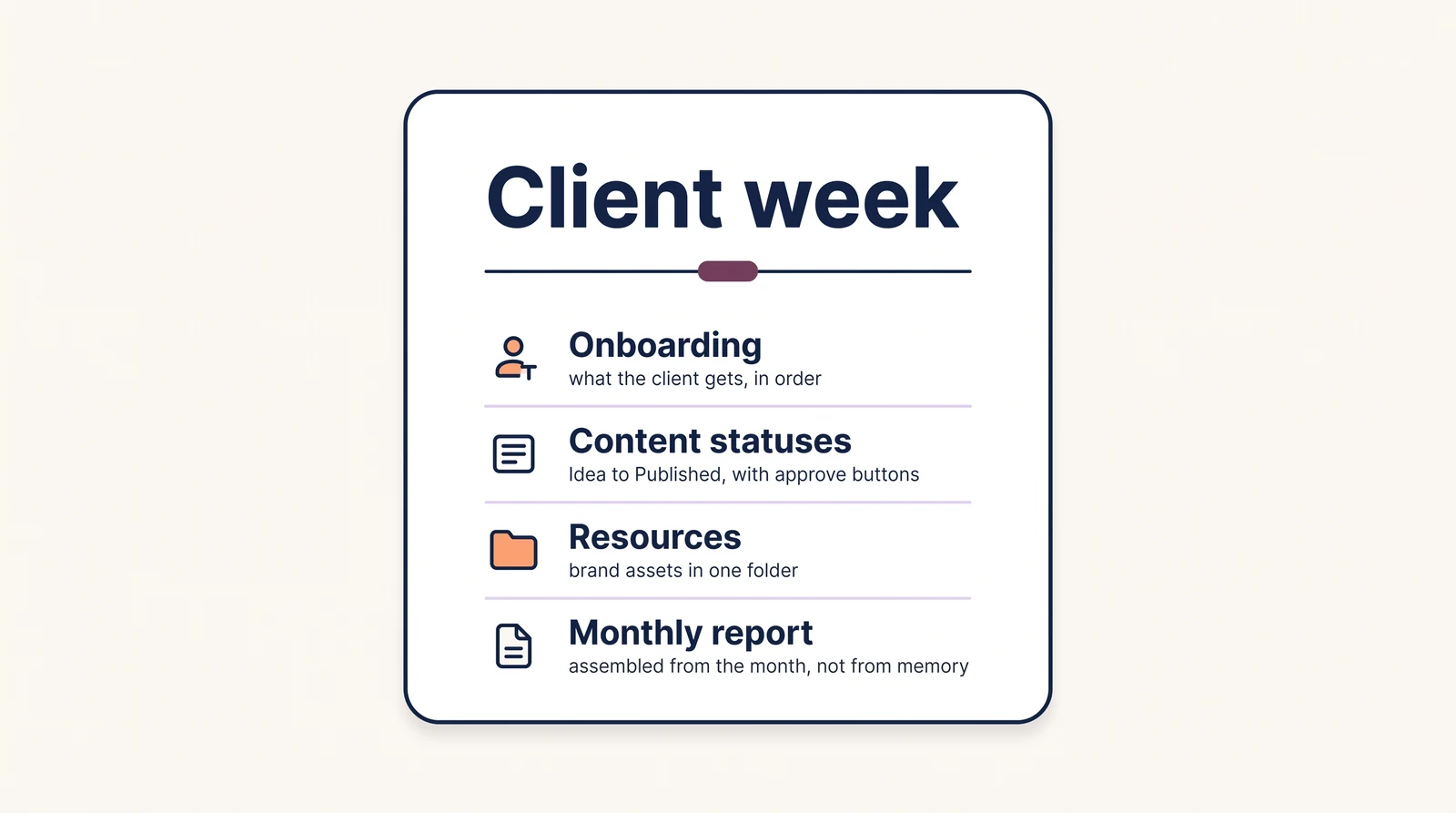
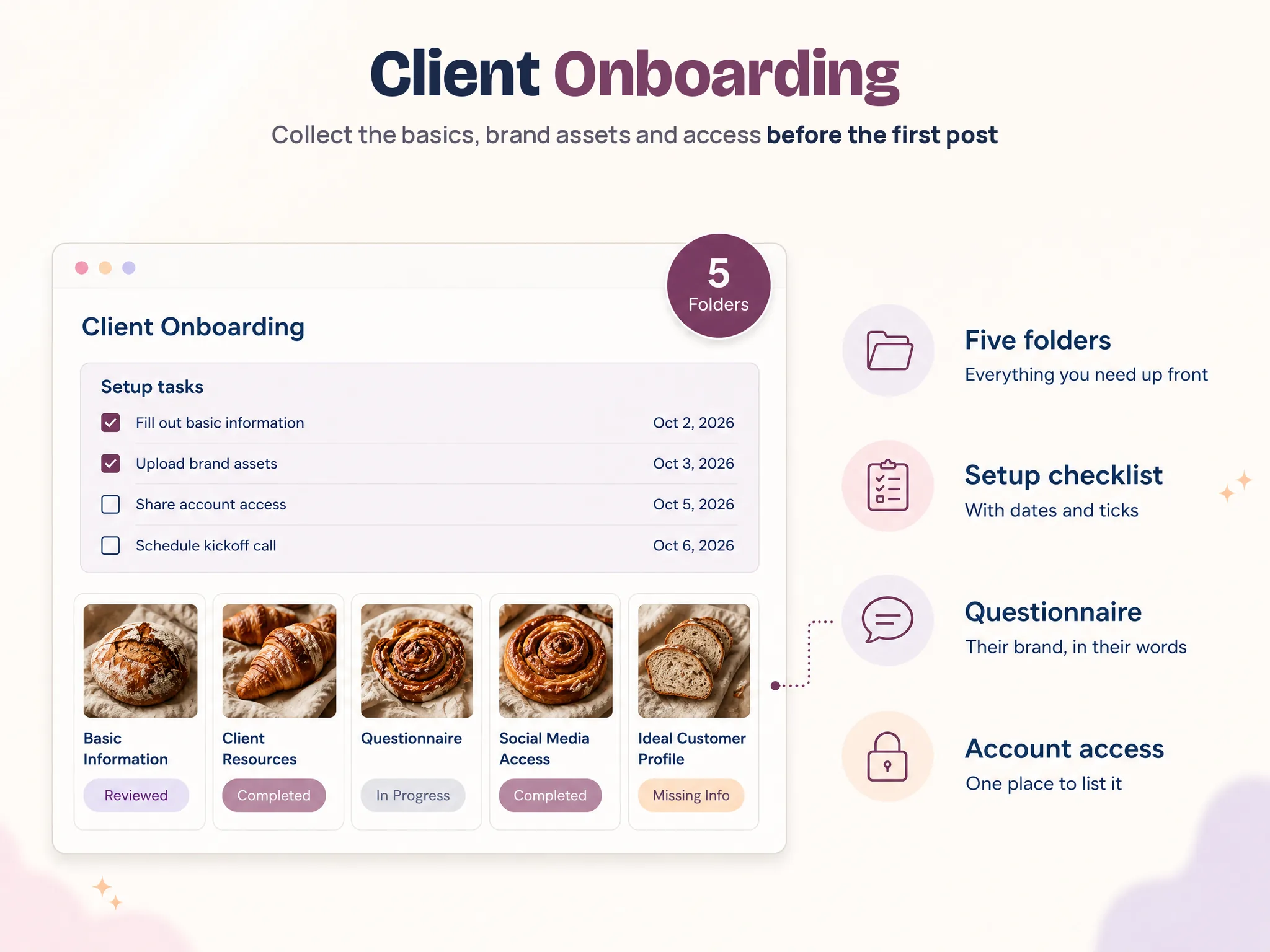
Notion SMM Portal is a client portal you duplicate for each client and share by its Notion link. It has 13 pages: Introduction, Client Onboarding, Content Production, Master Content, Strategy, Resources, Analytics, Extended Services, Task, Meeting, Payment, Contract, and Closing Chapter. Content Production holds the statuses from Idea to Published, with client buttons to mark a post as approved or as needing revision, so the approval stops being a message you have to remember. Analytics carries a monthly report and an audit template, which is where the report hour comes from instead of starting at zero. Resources is where the brand assets live, so design starts from an approved file. Content templates per platform mean a new client's first week starts from a structure rather than a blank page.
A client portal for social media managers gives every client one link and one record, which turns the invisible hours into steps you can see. With the steps visible, the capacity arithmetic becomes a number you can defend to a client and to yourself.
Take one client's week, time it honestly for two weeks, and the question stops being "how many can I handle?" and becomes "which of these tasks can I take out of the week?"
Frequently asked questions
How many clients can a social media manager handle?
There is no single number. Published ranges put full-service work at four to eight clients per person and lighter support at ten to twenty. Those figures are averages from someone else's task list. The answer for you comes from timing the tasks inside one client's week, subtracting your fixed overhead, and dividing the hours you actually work. Keep a buffer of one or two client slots so a bad week does not break a deadline.
How many hours per week does one client take?
A full-service client often runs six to ten hours a week once you count the invisible work: collecting approvals, chasing files, and assembling the report. The creative work is usually the smaller half. Time your own tasks for two weeks rather than adopting a number, because platform count, approval rounds, and how quickly the client replies move the total more than post volume does.
Can I take on one more client?
Add the new client's measured weekly hours to your current load, then add your fixed overhead. If the total still leaves a buffer inside the hours you really work, the answer is yes. If it lands exactly on your ceiling, one sick week or one missed approval pushes everything late. Take the client when the arithmetic leaves room, not when the month looks quiet.
Does the number change with how many platforms a client runs?
Yes, and it changes more than most managers expect. Each platform adds its own content formats, its own publishing step, its own inbox, and its own reporting line. Two clients on one platform can take fewer hours than one client on four. Count platforms, not clients, when you compare two engagements.
How long before I know my real capacity?
Two normal weeks of timing is enough to see the shape of it, and one full month gives you the monthly tasks as well, such as reports and planning calls. Log the time as you go rather than reconstructing it from memory on a Friday. Review the number again when a client changes scope or adds a platform, because the total moves with them.
Is there a rule of thumb worth using?
Treat every rule of thumb as a starting range, never as your answer. The commonly quoted four to eight full-service clients is a useful sanity check: if your own arithmetic says twelve, look again at what you are not counting. If it says two, check whether unmeasured admin or approval chasing is eating the week.
Sources
Keep reading
Onboarding
Social Media Manager Client Onboarding Checklist: 3 Phases
A social media manager client onboarding checklist: sort scope, access, and brand inputs, then test one post review before building your first batch.
· 9 min read

Onboarding
Social Media Client Onboarding Questionnaire: 25 Questions
Use this social media client onboarding questionnaire to collect goals, audience, brand voice, platforms, approvals, and next steps before drafting.
· 8 min read

Onboarding
How to Collect Social Media Account Access from a New Client
How to collect social media account access from a new client: use platform invites, confirm the right assets, and record what each role can do.
· 8 min read
