Where to Keep Client Brand Assets as a Social Media Manager
Where to keep client brand assets as a social media manager: one folder per client, one naming rule, and one link. Copy the tree and the request list.
By Notion SMM Portal by Cosmo Suite · Editorial policy
Published · 9 min read
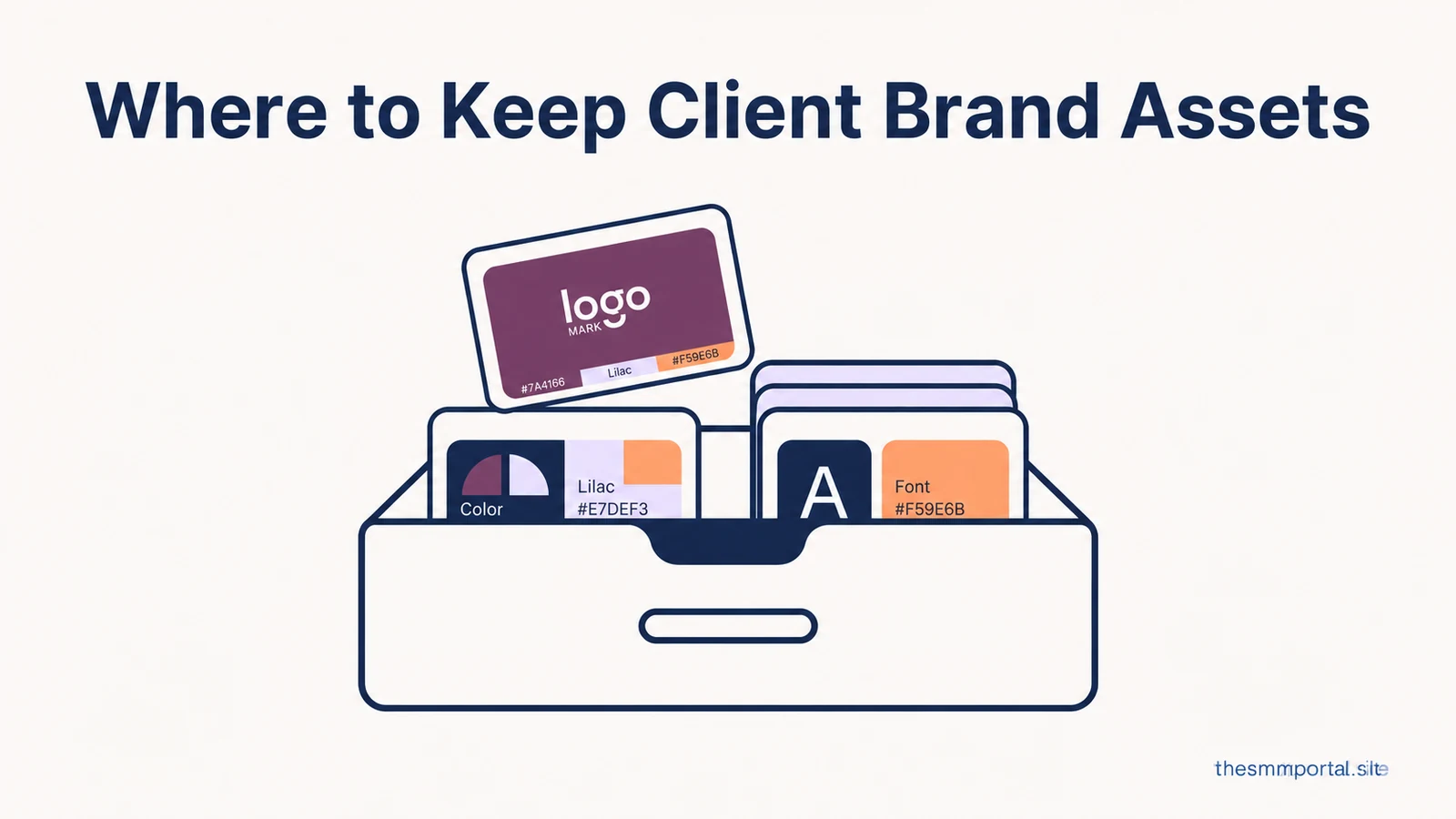
The logo arrives as a chat attachment. The color sheet arrives as a screenshot, with the hex codes cut off at the edge. The font arrives as a name in an email, with no file and no license. Six weeks later you need the approved logo for a carousel, and there are four versions on your desktop, none of them labeled.
The problem is the naming, not the storage. Fix it with one folder per client, a naming rule you apply to every file, and one link the client keeps. Set that up for one client, copy the tree for the next, and "where's the file?" comes up far less often.
Key Takeaways
- Keep one folder per client, outside the chat, with a single link the client keeps.
- Name folders by job (logo, fonts, photos, templates), never by month.
- Keep one approved file per asset and give drafts a version suffix.
- Ask for everything once, at onboarding, in a written list.
A client portal for social media managers is one way to hold that link, because the client already opens it for the calendar and the report. The rest of this post is the request list, the folder tree, and the rules that keep it tidy.
Where Should a Social Media Manager Keep Client Brand Assets?
A social media manager should keep client brand assets in one folder per client, held in a cloud drive or a shared workspace, with one link the client can open. The folder sits outside the chat and outside your desktop, and its name never changes. Three rules make it work: one folder per client, folders named by job, and one approved file per asset.
A brand asset library is the set of files a client's account needs to produce a post: the logo, the colors, the fonts, the photography, and the templates. Keep it to what you reach for when you make something. A design archive with every file the client ever sent slows the search down.
A client folder is that library for one client, with the same internal structure every time. Open a new client's folder, see the same five names you saw last week, and you stop thinking about where things are.
The alternative is the pattern most managers start with, where files live wherever they arrived. A logo in WhatsApp, a photo set in email, a font in a shared Dropbox from 2023. It works until two clients' files sit in the same download folder with names like logo-final-2.png.
What Brand Assets Do You Need From Each Client?
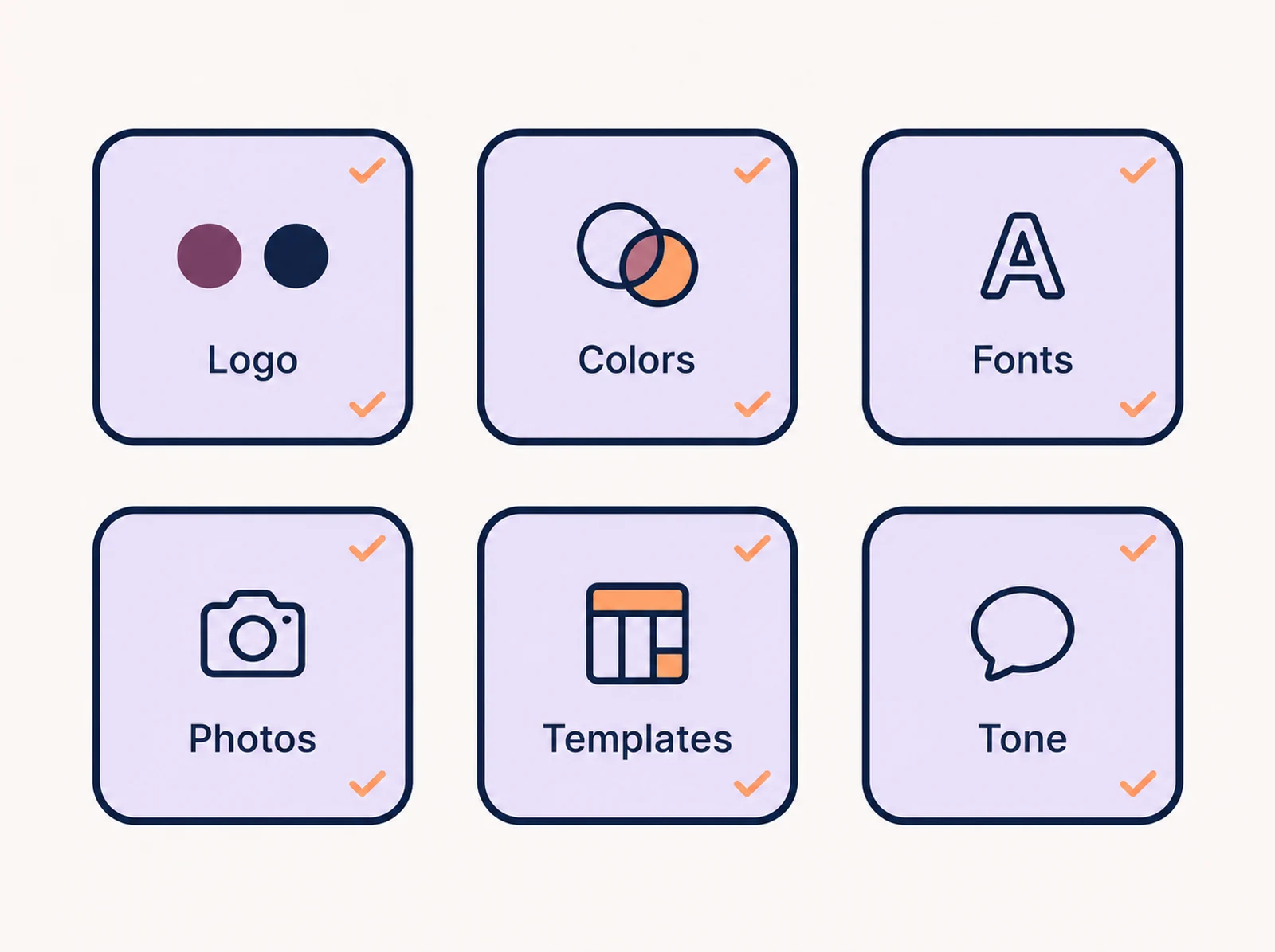
Ask for the assets in one list, at onboarding, before the first post. The table below is the short version: what to request, why the account needs it, and the form to ask for.
| Asset | Why the account needs it | What to ask for |
|---|---|---|
| Logo | Every post, every cover, every report header | Three files: full color, single color, and a transparent PNG |
| Colour values | Caption graphics, quote cards, report charts | Hex codes as text, not a screenshot of a brand page |
| Fonts | Post graphics and the report template | Font names, the files, and the license that covers your use |
| Product or service photos | Feed posts and carousel slides | Original files at full size, not images forwarded through chat |
| Existing templates | Reels covers, story frames, slide layouts | The editable file, plus one exported example of each |
| Tone notes | Captions and replies | Two or three sentences on what the brand sounds like, and what it avoids |
Two of these get skipped and cost the most later. The first is logo variants, because a full-color logo on a dark photo disappears and a single-color version fixes it in seconds if you have one. For example, a white wordmark that reads cleanly on a pale story frame turns invisible on a dark product shot. Asking for the one-color file at onboarding removes that problem for good. The second is the font license, because a desktop license often does not cover a client's commercial use. The difference shows up when someone asks whether the typeface was licensed for the campaign.
A brand kit is the packaged answer to that table: the files plus the written values, handed over once. Ask for it in writing during onboarding, and note in the same place what arrived and what is still missing. The onboarding checklist for a new client is where that request belongs, next to the access collection step.
What Should the Folder Structure Look Like?
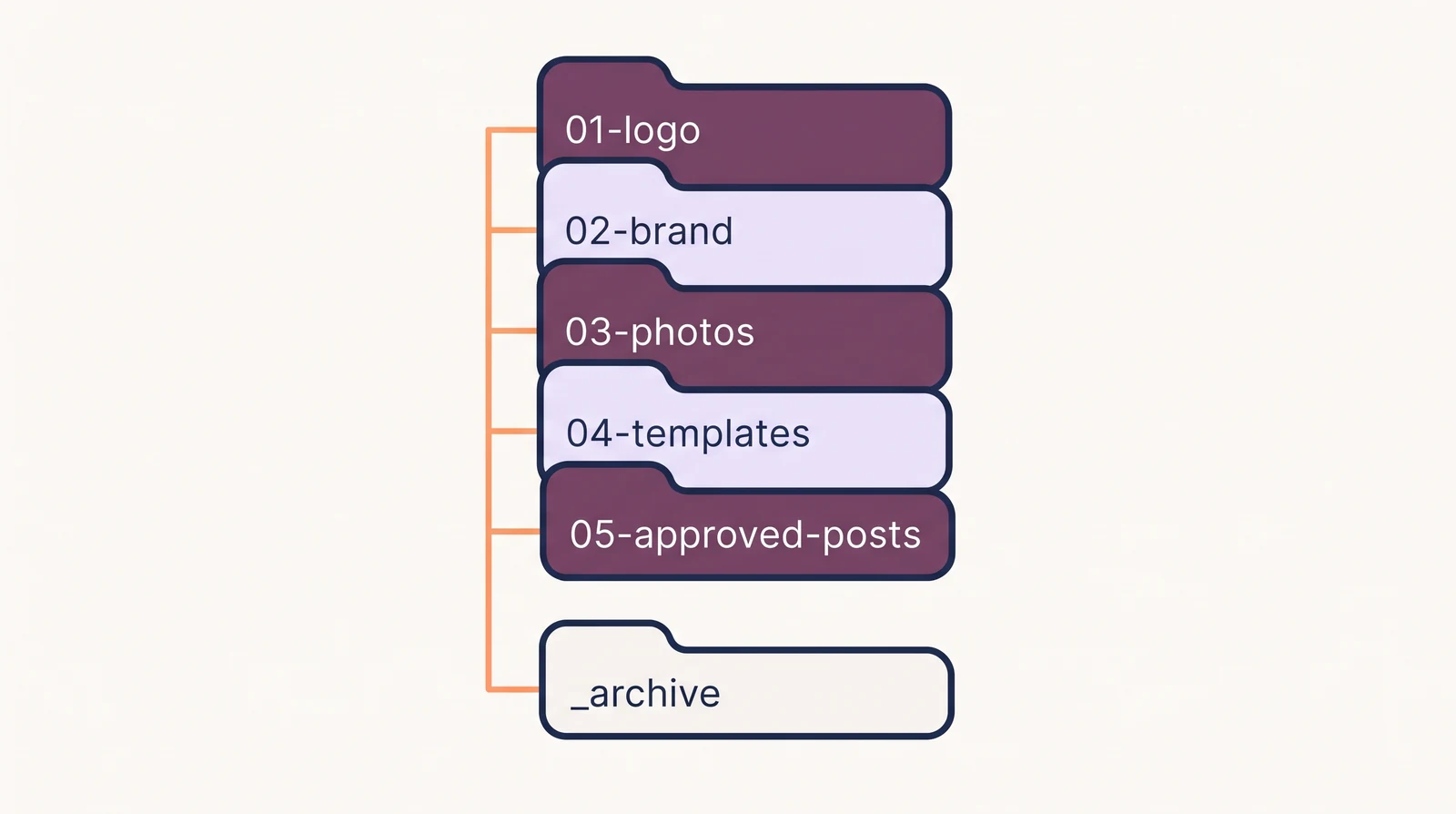
Build the tree once, then copy it. The structure below uses five folders, and the same five appear inside every client's folder, so the location of a file never depends on remembering.
clients/
  acme-coffee/
    01-logo/
    02-brand/
    03-photos/
    04-templates/
    05-approved-posts/
    _archive/
The numbered prefixes fix the order in the file browser, so the logo folder stays at the top and the archive stays at the bottom. The _archive folder is where replaced files go, which is why it starts with an underscore: it sorts last and it is clearly not part of the working set.
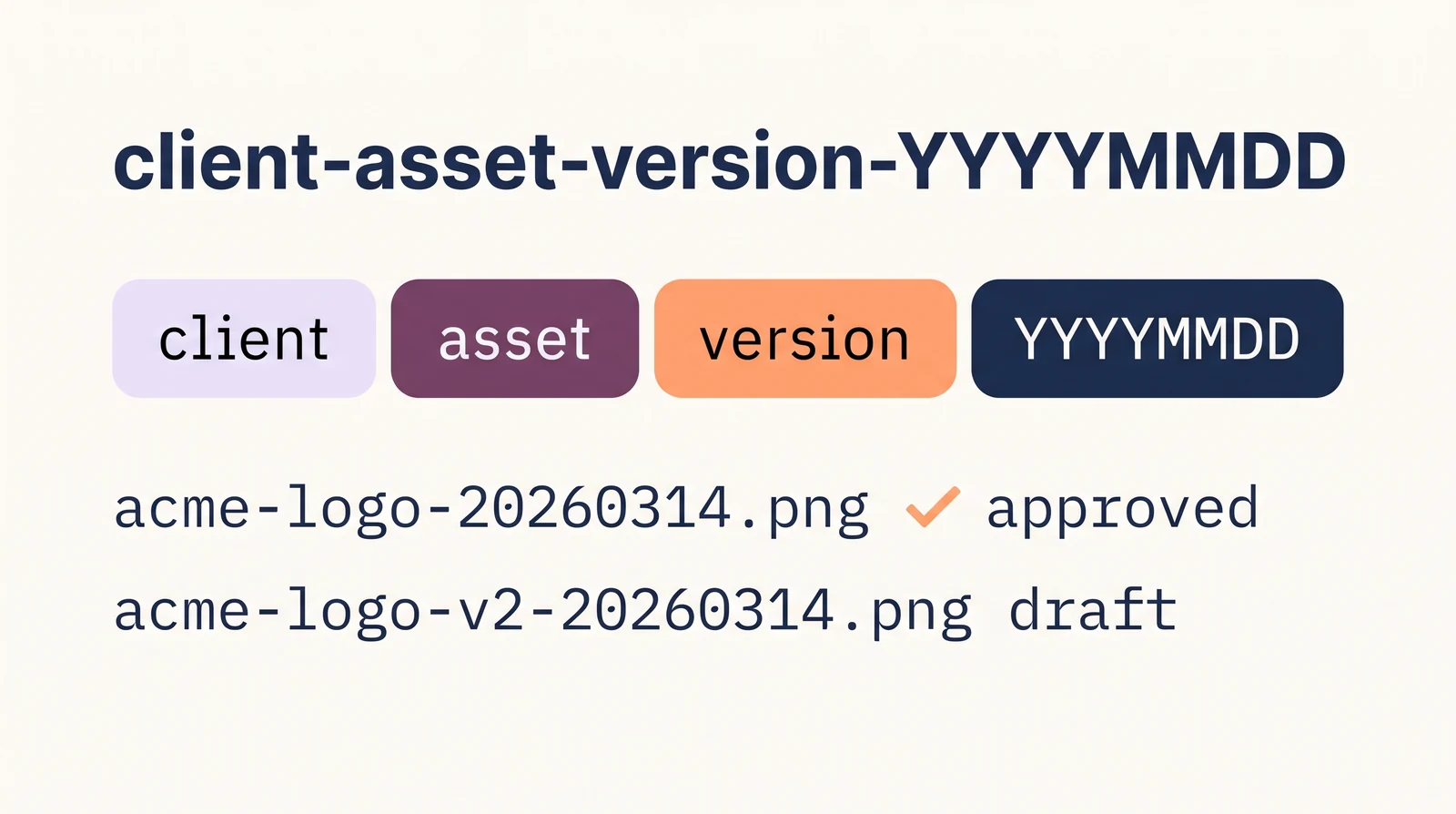
Name the files with one formula, in this order:
client-asset-version-YYYYMMDD
So the approved logo is acme-logo-20260314.png and the second draft is acme-logo-v2-20260314.png. Stanford Libraries recommends exactly this shape of rule for research files, with a YYYYMMDD date so the files sort themselves, no spaces, no special characters, and names kept short (Stanford Libraries). The date on the file is the day it was approved, not the day it was made.
The version rule is the one that answers the question the folder was built for. Approved file means the file with no version suffix, while drafts carry -v2, -v3, and so on, and only one file in the folder has no suffix at all. When someone asks which logo is live, the answer is a filename rather than a memory.
Take a worked example, with the names and dates invented. Imagine a coffee roaster that sends its logo in a chat on a Monday, a color screenshot on the Tuesday, and a font name with no file on the Wednesday. You open the folder, save the logo as acme-logo-20260314.png, write the hex codes into a text file in 02-brand, and ask for the font files in the same message that thanks them for the logo. Three messages become one reply, and the folder holds the answer to the next question.
How Do You Share the Folder Without Losing Control?
Share one link, and decide what the client can do with it. A link the client keeps in the same place they open the calendar saves the back and forth. A link they have to request again each month does not.
In Google Drive, folders are the unit that makes files "easier to find and share with others", and the drive help page recommends starting with a simple structure and adjusting as needed (Google Drive Help). That is the argument for the five folders: a client can be shown five names on one screen.
In Notion, sharing works by page and by permission level. The page lists six levels, from full access down to can view, and subpages normally inherit their parent's access (Notion Help). Decide the level before you send the link, because a client with edit access can rename your folders. Then check what a subpage inherits, because a page moved out of the shared section can quietly stop being visible.
A guest in Notion is a person outside your workspace, invited by email, who needs their own account to open the page. That matters for the client experience, so say it plainly at onboarding rather than letting the client discover a sign-up screen. Put your own contact details on the same page, so a question has somewhere to go. The guide to collecting account access covers the same boundary for platform logins: what the client grants, and what stays with you.
The working half stays private:
- Drafts and the options the client rejected.
- Your notes on a client's replies.
- Anything you would not want forwarded.
The shared link shows the approved library and the current calendar. Drafts and notes stay on your side of it.
What Actually Stops the Where's the File Question?
Four habits do most of the work here. None of them is a tool setting.
Name by job, not by date. A folder called march-assets is useless in April. A folder called 02-brand is useful every month, because it describes what is inside rather than when it arrived, and the rest of the structure depends on that.
Approve one file, out loud. When the client signs off on a logo or a template, say which file is now approved and save it without a version suffix. An approval that lives only in a chat message is not an approval you can act on next month.
Give the link once, in the onboarding page. Put the folder link where the client already looks for the calendar and the report. Then every request ends with "it is in the brand folder" rather than a fresh attachment, and the client's own habit forms around one link.
Keep the license note beside the font. One line in 02-brand naming the license and where it came from saves an argument later. It also answers the question a designer will ask you in six months.
The fifth habit keeps the folder working: put the request list and the link on the same page as the client's work. A portal that holds the brand folder link next to the content calendar means the client has one place to open, and you have one place to point at. The same discipline applies to the exported files themselves, which is why Stanford Libraries recommends a YYYYMMDD date that sorts the files by itself (Stanford Libraries).
Why Trust This Article?
This is a guide from the Cosmo Suite team, which builds Notion templates for client work, including the Notion SMM Portal. The naming rules come from Stanford Libraries' data best practices guide (last updated 13 September 2023), and the sharing behavior comes from Google Drive Help and Notion Help (both read on 21 November 2026). Neither help page shows a publication date, so the date given is the day the page was read. The worked example uses invented names and dates and is labeled as an example. Check your own client agreements and your own drive before you move files, and read about us for the publisher and its editorial standards.
How Notion SMM Portal Fits
A folder tree solves storage. It does not solve the moment when a client asks for the logo and cannot remember which link you sent. That is where a portal page helps, because the link sits beside the calendar the client already opens.
Notion SMM Portal is a 13-page Notion template you duplicate for each client and share by its Notion link. Client Onboarding is where the brand assets are confirmed, alongside the questionnaire and the social media access step, so the request list has a home from day one. Resources holds the working folders for design, hashtags, audio, tools, hooks and CTAs, video footage, inspiration, and a size guide. Content Production carries each post from Idea to Published, with client buttons to mark a post as approved or as needing revision, and Analytics carries the monthly report and audit templates.
The effect is that the folder link and the work it supports live on the same page. A social media client portal gives every client one link, and the brand assets stop being a separate conversation that starts from "can you send that again". The pillar guide to what a portal holds shows how the pages fit together.
Start with one client. Build the five folders, name the logo with the date, and send the link in the same message that opens the calendar. That is the whole job, and it takes about ten minutes.
Frequently asked questions
Where should a social media manager keep client brand assets?
In one folder per client, outside the chat, with a single link the client keeps. Name the folders by job rather than by date, so the logo sits in the same place for every client. Keep one approved file per asset and give drafts a version suffix. The file you need is then one link away, and the client stops sending the logo again.
What brand assets should I ask a client for?
Ask for the logo in three forms (full color, one color, and a transparent PNG), the color values as text rather than a screenshot, the font names with the files and their license, product photos at full size, and any templates the client already uses. Ask once, at onboarding, in a written list. Anything you request later costs another round of messages.
How should I name client files?
Use a fixed order: client, asset, version, date. Write the date as YYYYMMDD so the files sort themselves. Use hyphens instead of spaces and avoid special characters. Stanford Libraries recommends the YYYYMMDD date form, no spaces, and short names, and those three rules cover most of the mess. The approved file carries no suffix and the draft carries -v2, so the filename answers which one to use.
Should brand assets live in Google Drive or in Notion?
Drive holds large files well and Notion holds the link plus the context around it. Many managers use both: the folder tree in Drive, and one portal page per client that links to the tree and holds the brief, the approved post record, and the report. Pick whichever the client already opens, then keep it the same for every client.
What do I do when a client sends a new logo?
Replace the approved file in place and move the old one to an archive folder inside the client's tree. Add the date to the new filename and note what changed. Published posts keep the old logo, and the archive lets you show which version ran in which month. Never keep two files that both look approved.
How do I stop clients sending the same files again?
Give the client one link at onboarding and write it into the onboarding page, not into a chat message. When a request arrives, answer with the link and the folder name instead of a new attachment. The habit sticks once the link sits where the client already opens the calendar and the report.
